
For family caregivers managing complex regimens, the best pill schedule app is one that handles PRN (as-needed) doses and medication cycles, works offline, syncs with Apple Health, tracks refills and symptoms, and lets multiple contributors log entries securely. Care Chronicle is built specifically for this caregiving reality, converting voice notes into a searchable medical timeline and generating exportable reports your clinician can actually use.
TL;DR — five features to prioritize:
- PRN and cycle support: the app must handle as-needed doses with minimum-gap safety rules and cyclical regimens (steroid tapers, contraceptive packs)
- Escalating reminders: single-tap notifications get missed; you need alarms that repeat until confirmed
- Offline logging: reminders and dose records must work without Wi-Fi, especially in hospital settings
- Refill tracking: low-supply alerts prevent the gap in care that happens when a prescription runs out unexpectedly
- Exportable clinician reports: a PDF or CSV summary of adherence, vitals, and notes is what makes a specialist appointment productive
Immediate next step: start a 7-day free trial and configure one complex regimen before committing.
Table of Contents
- What should a pill schedule app do for complex caregiving?
- How Care Chronicle meets the caregiver checklist
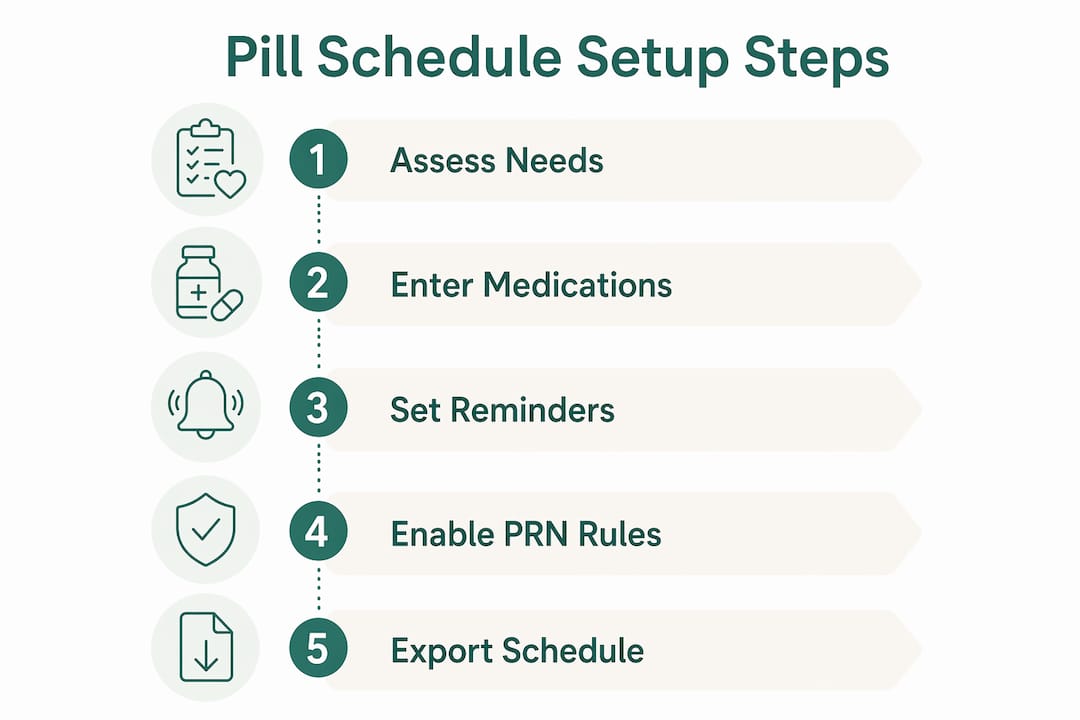
- How to set up a pill schedule for a complex regimen
- Common mistakes caregivers make when choosing an app
- What does a pill schedule app actually cost?
- Key Takeaways
- Why caregiver-first features are the only ones that matter
- Care Chronicle is built for exactly this caregiving load
- Useful sources and further reading
What should a pill schedule app do for complex caregiving?
Not every medication reminder app is built for the caregiver managing a child on a steroid taper, an elderly parent on six daily prescriptions, and a PRN rescue inhaler. Most consumer apps handle a single daily vitamin just fine. The gap shows up fast when you need cycles, PRN rules, and shared access across three family members.
Here is the prioritized checklist to run through before you commit to any app:
Must-have (safety-critical):
- Flexible scheduling: every-N-hours, specific days, PRN with a configurable minimum gap between doses
- Escalating or persistent reminders that repeat until the caregiver confirms the dose
- Offline functionality so dose logs and reminders work without internet, including in hospital rooms
- Refill math: the app calculates days of supply remaining and alerts you before you run out
- Multi-contributor access so two parents, a home aide, or a sibling can all log without overwriting each other
High-value (clinical handoff):
- Symptom and vitals logging tied to specific doses or time windows
- HealthKit integration to import prescriptions from participating health systems and sync biometrics
- Exportable PDF or CSV reports covering adherence, dose history, vitals, and notes
- Lock-screen privacy mode that hides medication names in public
Questions to ask during a trial:
- Can the alarm escalate (repeat, increase volume) until I confirm the dose?
- Does the app log doses and display reminders when my phone has no signal?
- Can I export a date-range adherence report as a PDF right now?
- Can a second caregiver log a dose from their own device without me sharing my login?
- Does it support a 21-days-on/7-days-off cycle or a tapering dose schedule?
If any answer is no, that app will create gaps in a complex regimen.
How Care Chronicle meets the caregiver checklist
Care Chronicle is not a traditional pill tracker app. It is a voice-first caregiver journal that builds a chronological medical timeline, and medication tracking is one of its core layers. Here is how it maps to the checklist above.
| Caregiver need | Care Chronicle capability |
|---|---|
| PRN and cycle scheduling | Medication entries support as-needed logging and cyclical regimen notes within the timeline |
| Voice-first entry | Speak a dose, symptom, or observation; the app transcribes and timestamps it automatically |
| Multi-contributor sharing | Multiple caregivers contribute to the same timeline; clinicians and family members can view shared content |
| Exportable clinician reports | Timeline export as a secure link or PDF, covering medications, symptoms, and doctor interactions |
| Symptom and vitals logging | Symptoms and vitals are logged alongside medication events in the same searchable timeline |
| Refill tracking | Refill notes and supply observations are captured in the voice timeline and flagged in caregiver guides |
| Privacy controls | Secure sharing via link; data is not sold; exportable PDFs give caregivers control over what clinicians see |
| Offline behavior | Voice notes and timeline entries are captured locally and synced when connectivity returns |
What makes Care Chronicle a caregiver-first choice:
- Voice entry takes seconds during a high-stress moment, far faster than typing a structured log
- The timeline is searchable, so you can pull up every dose of a specific medication across three months before a specialist visit
- Clinicians and family members can consume shared content without needing their own paid account
- Caregiver guides cover medication tracking, hospital discharge, symptom pattern recognition, and care coordination
Pricing: Care Chronicle offers a 7-day free trial followed by a monthly subscription. Clinicians and family members who receive shared timelines or exported PDFs do not pay.
Pro Tip: During your trial, configure your most complex regimen first, export a PDF, and share it with one family member. If those three steps work smoothly, the app will handle your real-world caregiving load.

How to set up a pill schedule for a complex regimen
Follow these steps to configure a real-world complex medication plan from scratch.
- Create your account and add your loved one as a dependent. Use their full name and date of birth so the timeline stays distinct from your own health records.
- Add each medication as a separate entry. Include the drug name, dose form (tablet, capsule, liquid, injection), strength, and prescribing clinician. Do not combine two drugs into one entry.
- Set the schedule type for each medication. For daily fixed doses, choose the specific time. For every-N-hours medications, set the interval. For PRN medications, select as-needed mode and configure the minimum gap (e.g., no sooner than four hours between doses).
- Build cyclical regimens explicitly. For a steroid taper, create a separate entry for each dose level with a defined start and end date. For a 21/7 contraceptive cycle, set the active days and the seven-day break as a distinct period.
- Enable escalating reminders. Set the first alert, then configure a follow-up alarm at five or ten minutes if the dose is not confirmed. This is the single most important setting for preventing missed doses.
- Turn on refill tracking. Enter the current pill count and the daily dose so the app can calculate days of supply and alert you at least seven days before you run out.
- Add a second contributor. Invite a co-caregiver, partner, or home aide so they can log doses from their own device.
- Enable offline logging. Confirm the app stores entries locally when there is no signal.
After setup, verify these four things:
- Trigger a test escalation by ignoring the first reminder and confirming the follow-up fires
- Export a PDF report and check that it includes dose history and any symptom notes
- Have your co-caregiver log a test dose and confirm it appears in the shared timeline
- Check that HealthKit shows the medication data if you have enabled that integration
Safety note: Before automating a complex taper or setting PRN minimum-gap caps, confirm the schedule with the prescribing clinician. An app enforces what you enter, not what the prescription says.
Common mistakes caregivers make when choosing an app
These are the red flags that cause real problems, not just inconvenience.
- Single-tap, non-escalating reminders. One notification that disappears when dismissed is not enough for a caregiver managing six medications across two people. A missed alert means a missed dose or, worse, a double dose when the next caregiver assumes it was not taken.
- No offline logging. Hospital Wi-Fi is unreliable. A pill schedule app that cannot log doses offline fails exactly when you need it most.
- No refill math. An app that does not calculate days of supply will not warn you that a critical medication runs out on a Saturday when the pharmacy closes at noon.
- No multi-contributor sharing. Shared login credentials create conflicts. Two caregivers logging simultaneously on the same account produce duplicate or overwritten entries.
- No exportable clinician report. Showing a specialist a screenshot is not the same as handing them a date-range adherence summary with vitals and symptom notes.
- Vague or absent privacy policy. If the app does not explicitly state it does not sell your health data, assume it does. Lock-screen privacy modes that hide medication names are a separate but equally important control.
Trial checks to run before you pay:
- Go to airplane mode and log a dose. Did it save?
- Export a PDF report for the past seven days. Does it include adherence percentages and symptom notes?
- Dismiss the first reminder without confirming. Did a second alert fire?
What does a pill schedule app actually cost?
Pricing across the category follows a predictable pattern. Free tiers typically cover basic reminders for one or two medications with no export, no multi-contributor access, and no refill math. Premium tiers unlock the features caregivers actually need.
Common pricing structures:
- Free tier: basic reminders, limited medications, no PDF export, no family sharing
- Monthly premium: typically unlocks unlimited medications, multi-contributor access, adherence reports, AI-assisted features like prescription scanning, and drug-interaction checks; AI features usually require an internet connection
- One-time purchase: some apps offer a lifetime unlock instead of a subscription; useful if you need long-term continuity without recurring cost
- Enterprise or clinic integrations: priced separately, usually for health systems or employer wellness programs
For caregivers evaluating a medication adherence program, the premium tier is almost always the right starting point. The features that matter for complex regimens, specifically export, escalation, and multi-contributor logging, are rarely available on a free plan.
Care Chronicle's 7-day free trial gives you enough time to configure one complex regimen, test the export, and confirm that multi-contributor sharing works for your household. That is the minimum evaluation you should run before the trial ends.
Key Takeaways
For complex caregiving, a pill schedule app must handle PRN rules, offline logging, escalating reminders, refill tracking, and exportable clinician reports — anything less creates gaps that put your loved one at risk.
| Point | Details |
|---|---|
| PRN and cycles are non-negotiable | Any app that cannot handle as-needed doses with minimum gaps or cyclical regimens will fail complex regimens. |
| Escalating reminders prevent double dosing | A single dismissible notification is not enough; configure follow-up alarms that fire until the dose is confirmed. |
| Offline logging is a safety requirement | Dose records and reminders must work in hospital rooms and low-connectivity homes without exception. |
| Export before you trust | Run a PDF export during the trial; if the report is incomplete or missing, the app will not serve clinician handoffs. |
| Care Chronicle for caregivers | Care Chronicle's voice-first timeline, multi-contributor sharing, and exportable PDF reports address the full caregiver checklist in one place. |
Why caregiver-first features are the only ones that matter
The conventional wisdom in the medication-app space is that simplicity wins. And for someone managing one daily blood pressure pill, that is probably true. But caregivers managing medically complex loved ones are not that person. They are coordinating across multiple prescribers, logging observations during hospital stays, and handing off to a home aide at 7 AM. Simplicity without depth fails them.
What I find consistently underestimated is the clinical handoff problem. Most apps treat the export feature as a nice-to-have. For a caregiver walking into a specialist appointment with six months of dose history, symptom patterns, and vitals, a well-structured PDF is the difference between a productive visit and a 20-minute recap from memory. That is not a convenience feature. It is the point.
Voice-first entry matters for the same reason. Typing a structured log entry during a medical crisis is not realistic. Speaking a 15-second observation that gets timestamped and filed automatically is. Tools built around that reality, like Care Chronicle, are designed for how caregiving actually happens, not how it looks in a product demo.
Care Chronicle is built for exactly this caregiving load
Most pill tracker apps were designed for individuals managing their own medications. Care Chronicle was built for the caregiver managing someone else's complex medical reality, including the voice notes, the specialist handoffs, the family coordination, and the moments when there is no time to type.
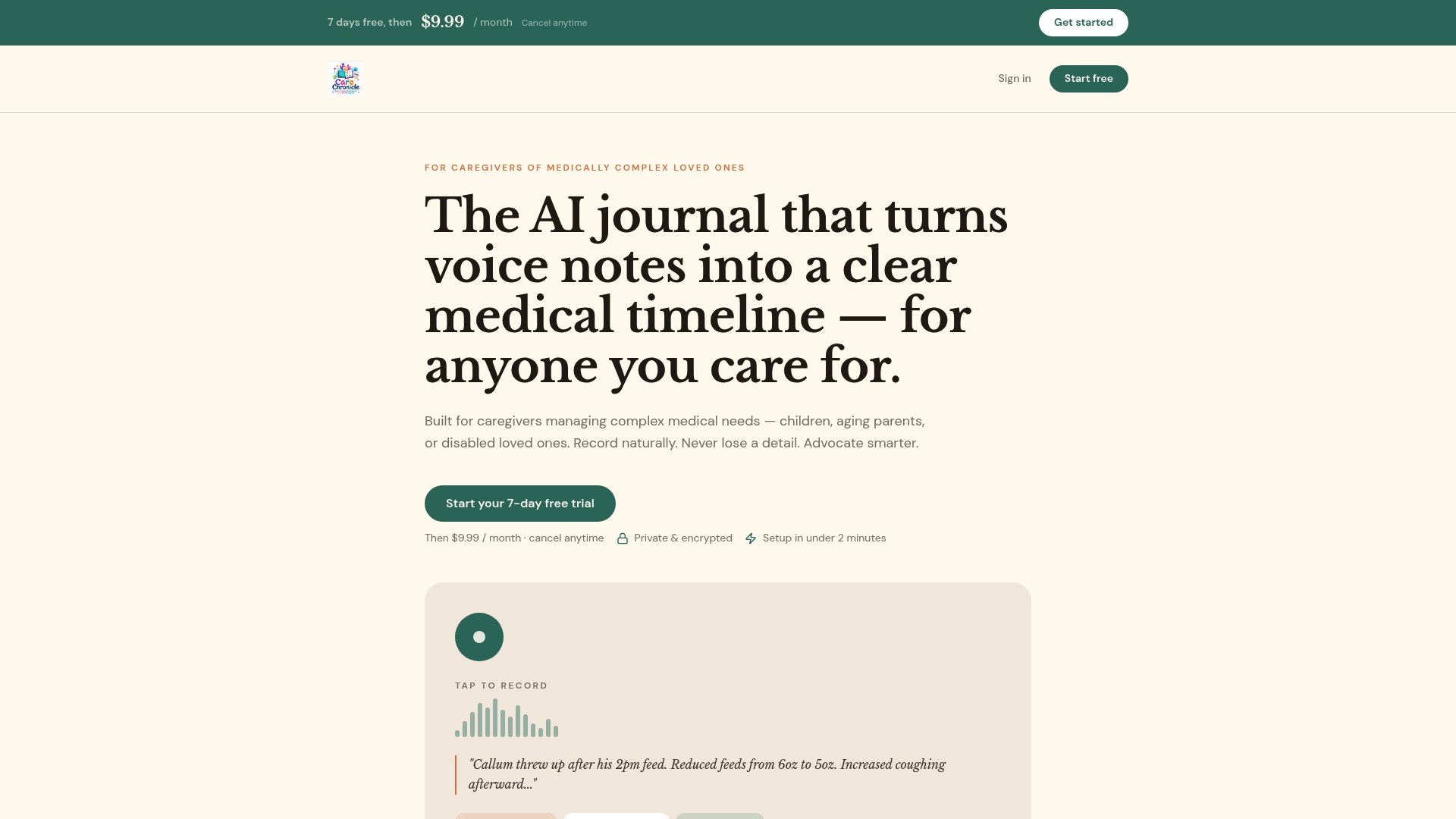
The Care Chronicle timeline captures voice notes, medication events, symptoms, and vitals in one searchable place. Multiple caregivers can contribute without shared logins. Clinicians receive a clean PDF or secure link, not a screenshot. Refill observations, discharge notes, and symptom patterns all live in the same chronological record. Data is not sold, and exports give you full control over what you share.
Start the 7-day free trial, configure your most complex regimen, and export one report. That is the test. If it works, you have found your system.
Useful sources and further reading
- Care Chronicle — Voice-first caregiver journal: the primary product page for Care Chronicle's voice-to-timeline features, multi-contributor sharing, and exportable clinician reports
- Medisafe on the App Store (US): documents HealthKit integration, health records import from U.S. hospitals, and pharmacist ranking methodology
- MedRemind — Smart Medication Management: developer documentation on offline drug databases, PRN minimum-gap rules, cyclical regimen support, lock-screen privacy modes, and PDF export
- Pillo: Medication Reminder & Tracker: covers escalating and persistent reminder design and the evidence base for why single-tap notifications fall short
- Medication Adherence Programs: A Guide for Employers: broader context on adherence program design and which digital features drive measurable outcomes
- In-Home Monitoring for Geriatric Patients: practical overview of combining vitals tracking with medication schedules for older adults in home care settings