
The four things worth capturing first in any doctor appointment notes: the chief complaint in the patient's own words, exact medication changes (drug name, dose, frequency), follow-up actions with dates, and the clinician's assessment of what's happening. Get those four things down and you have a usable record even if the rest of the visit blurs. Research shows patients forget 40–80% of medical information almost immediately after a visit, and up to 50% of what is remembered may be incorrect. That's not a memory failure — it's a design problem. A structured note fixes it.
Quick capture checklist (first 60–120 seconds after each instruction):
- Chief complaint or reason for visit, in the patient's words
- Clinician name, role, and time of visit
- Any medication change: drug name, dose, frequency, start date
- Tests ordered and when results are expected
- Follow-up date and who schedules it
- One urgent action item (what must happen in the next 24–72 hours)
Before you leave the exam room, take a photo of any printed instructions or send yourself a voice memo summarizing those six points. Care Chronicle can transcribe that audio into a timestamped, searchable timeline automatically — but even a text message to yourself beats nothing.
Table of Contents
- What should your doctor appointment notes template include?
- How do you map caregiver notes to the SOAP framework?
- Which capture method works best during a busy appointment?
- How Care Chronicle turns appointment audio into an organized timeline
- How do you share appointment notes safely with family and clinicians?
- What should you say to get clearer instructions from your doctor?
- Two sample appointment notes you can copy and adapt
- How do you build a chronological medical timeline from your notes?
- Key Takeaways
- Why a consistent notes system matters more than a perfect one
- Care Chronicle makes appointment notes easier to keep
- Useful sources
What should your doctor appointment notes template include?
A template you actually use beats a perfect one you forget at home. The table below is designed to fit on one printed page or a phone screen.
| Phase | Field | What to capture |
|---|---|---|
| Before | Patient ID + insurance | Card numbers, policyholder name |
| Before | Medications list | Current drugs, doses, last refill date |
| Before | Top 3 questions | Written out in plain language |
| Before | Documents to bring | POA or proxy, HIPAA consent if new provider |
| During | Date, time, clinician | Full name and role (MD, NP, PA) |
| During | Chief complaint | Patient's exact words |
| During | Medication changes | Drug, dose, frequency, reason for change |
| During | Tests ordered | Name of test, lab or imaging center, timeline |
| During | Follow-up date | Date confirmed, who books it |
| During | Urgent action | What must happen in 24–72 hours |
| After | Printed instructions | Received or requested via portal |
| After | Next steps + owner | Who is responsible for each task |
| After | Note stored | Photo, voice memo, or app entry done |
Many health systems let you complete pre-visit forms through patient portals like MyChart before you arrive — updating medications, allergies, and demographics in advance saves time and reduces errors at check-in.
Pro Tip: Write your top three questions on a sticky note and hand it to the clinician at the start of the visit. Clinicians who see the list upfront tend to pace the conversation better.
How do you map caregiver notes to the SOAP framework?
The SOAP framework — Subjective, Objective, Assessment, Plan — is how clinicians organize every patient encounter. When your notes follow the same structure, any provider who reads them can act on them immediately.
- Subjective (S): What the patient reported. "Mom said the pain is a 7/10, worse after meals, started three days ago."
- Objective (O): Measurable findings. "BP 138/84, weight down 4 lbs since last visit, no fever."
- Assessment (A): The clinician's working diagnosis. "Dr. Patel suspects early gastritis; ruling out peptic ulcer."
- Plan (P): What happens next. "Start omeprazole 20 mg daily, repeat labs in two weeks, follow-up March 14."
Converting raw notes into that four-part shape takes about two minutes after the visit. The payoff is that any clinician picking up the record knows exactly where to look.
Pro Tip: For a loved one with a chronic condition seen by multiple specialists, flip the order to APSO — Assessment and Plan first, then Subjective and Objective. Clinicians reviewing ongoing care notes find problems and plans faster when the most actionable information leads.

Which capture method works best during a busy appointment?
No single method wins every situation. The table below lays out the honest trade-offs.
| Method | Speed | Accuracy | Clinician-friendly | Risk |
|---|---|---|---|---|
| Handwriting | Medium | High | Yes | Illegible under stress |
| Smartphone photo of printed sheet | Fast | Very high | Yes | Needs printed materials |
| Voice recording | Very fast | High (with review) | Varies | Consent required |
| EHR portal download | Slow | Very high | Yes | Not always available |
Handwriting during high-stress appointments often yields better comprehension than typing — no autocorrect errors, better eye contact, no dead battery. Three quick workflows:
- Alone and stressed: Write key points by hand, then photograph the page before leaving.
- Two people present: One person asks questions and advocates; the second person takes notes verbatim and timestamps each instruction.
- Telehealth visit: Request a screen-share of any instructions, or ask for a portal message summary after the call.
Pro Tip: State consent laws for recording vary. Before pressing record, say clearly: "I'd like to record this for my own notes — is that okay?" Most clinicians agree. Combining audio with a short handwritten summary gives you both accuracy and a quick-scan backup.
How Care Chronicle turns appointment audio into an organized timeline
Care Chronicle is built specifically for caregivers managing complex, ongoing medical needs. After an appointment, you speak your notes into the app and it transcribes them into a timestamped, searchable timeline — no typing required.
- Voice transcription: Converts spoken notes into structured entries with date and time stamps.
- Medication tracking: Tag any drug change directly in the entry so it surfaces in the medication log automatically.
- Multi-caregiver access: Family members and paid aides can each add notes to the same timeline.
- Exportable summaries: Generate a one-page PDF or a secure sharing link to send to a clinician or family member before the next visit.
A typical workflow: record a two-minute voice note in the parking lot after the appointment, tag the medication change, and export a single-page summary to share with the specialist seeing your loved one next week. The 7-day free trial (followed by a monthly subscription) lets you test the full workflow before committing.
How do you share appointment notes safely with family and clinicians?
The safest sharing options, in order of security: a patient portal message, a password-protected PDF, a secure link from a caregiver app, and a printed one-page summary handed directly to the clinician.
HIPAA applies primarily to covered entities — hospitals, clinics, insurers — not to family caregivers personally. That said, caregivers acting on behalf of a patient may need a signed release, power-of-attorney, or healthcare proxy document before staff will share records or accept a recording. Confirm the clinic's specific policy at check-in.
For a quick family update, a subject line like "[Patient name] — [Date] cardiology visit summary" followed by a short paragraph covering the assessment, plan, and next follow-up date is enough. Keep it factual and brief.
What should you say to get clearer instructions from your doctor?
Clinicians should support patient understanding — and most will, if you ask directly. These phrases work:
- "Could you repeat that slowly while I write it down?"
- "Can you write the dose and frequency here on this paper?"
- "Could you sketch how to do the wound care, or show me once?"
- "Would you mind saying that again while I record it?"
- "Let me repeat that back to make sure I have it right."
That last one is teach-back, and it's the most powerful tool in the room. When you summarize the instructions in your own words and the clinician corrects you, you leave with the right information. Visual aids and sketches significantly increase retention — ask for a drawing or printed steps for anything procedural, like wound care or medication administration.
Pro Tip: Introduce a second note-taker at the start of the visit: "This is my sister — she's going to take notes so I can focus on the conversation." Clinicians rarely object, and it removes the cognitive split between listening and writing.
Two sample appointment notes you can copy and adapt
Sample 1 — Primary care visit
Sample 2 — Specialty visit (neurology)
Extract action items by asking: what must happen in 24–72 hours, and what can wait until the next visit? Highlight those items in a different color or move them to the top of the note before sharing.
How do you build a chronological medical timeline from your notes?
A timeline turns individual visit notes into a story clinicians can follow. Here's the structure that works:
| Field | What to record |
|---|---|
| Date | Exact date of event |
| Event type | Visit, ED, hospital admission, telehealth |
| Clinician + location | Name, specialty, facility |
| Medication changes | Drug, dose change, reason |
| Test results | Test name, result, date received |
| Follow-up date | Confirmed date and who schedules |
| Attached files | Photo of printed instructions, lab PDF |
Tag entries by category — medication changes, allergies, major events — so you can filter quickly in a crisis. EHRs are not reliably interoperable; records frequently don't transfer automatically between providers, which means your personal timeline may be the only complete picture of your loved one's care.
Back up the timeline as an exported PDF at least monthly, stored in an encrypted cloud folder. Keep a second copy on a USB drive for hospital admissions.
Pro Tip: Review the full timeline every three months. Remove duplicate entries, update the active problem list, and flag any follow-up dates that passed without action. A 20-minute quarterly review prevents months of confusion.
Key Takeaways
Structured doctor appointment notes — capturing the chief complaint, medication changes, and follow-up plan — are the single most effective tool a caregiver has for reducing missed information and improving care coordination.
| Point | Details |
|---|---|
| Capture the four essentials first | Chief complaint, medication changes, follow-up date, and urgent action items cover most of what matters. |
| Use SOAP structure | Mapping notes to Subjective, Objective, Assessment, Plan makes them immediately usable by any clinician. |
| Choose your capture method deliberately | Handwriting beats typing under stress; a second note-taker frees you to advocate. |
| Build and back up a timeline | Personal records fill the gaps EHRs leave; export PDFs monthly and store them encrypted. |
| Mycarechronicle for ongoing care | Care Chronicle transcribes voice notes into a searchable timeline with medication tracking and shareable exports. |
Why a consistent notes system matters more than a perfect one
The caregivers who struggle most aren't the ones who take imperfect notes. They're the ones who take notes inconsistently — a scribbled page here, a voice memo there, a screenshot buried in a camera roll — and then can't find the right information when a specialist asks for it at 8 AM on a Monday.
What actually reduces clinical risk isn't a sophisticated system. It's a repeatable one. The same six fields, captured the same way, after every visit. When a new provider asks what changed in the last six months, you can answer in 30 seconds instead of guessing. That speed matters in an ER. It matters when a specialist is deciding whether to adjust a medication. It matters when a family member who wasn't at the appointment needs to understand what's happening.
The SOAP framework, the before/during/after template, the voice-first workflow — none of these require medical training. They require the habit of doing the same thing twice, then three times, until it's automatic. Small, consistent habits reduce both caregiver stress and the chance that something critical slips through.
Care Chronicle makes appointment notes easier to keep
Every caregiver knows the feeling: you leave the appointment with a head full of instructions and nowhere organized to put them. Care Chronicle solves exactly that. Speak your notes into the app, and it builds a searchable, chronological medical timeline — medication changes tagged, follow-up dates logged, and a one-page summary ready to share with the next clinician or a family member who couldn't be there.
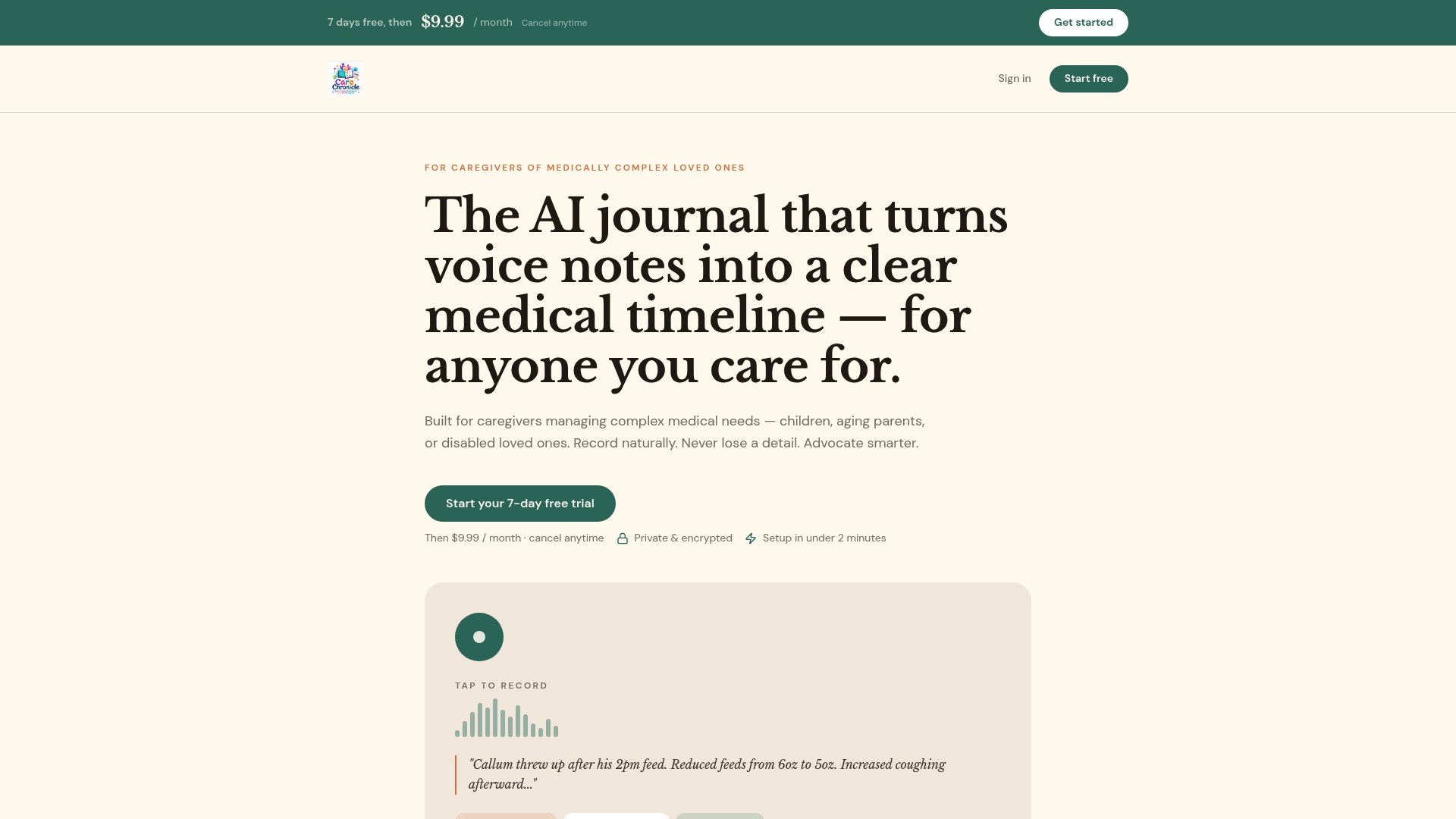
The 7-day free trial gives you enough time to run the full workflow through two or three real appointments. After that, a monthly subscription keeps the timeline growing alongside your loved one's care. If you're managing a medically complex situation, start your free trial and see how much easier the next appointment feels when the notes take care of themselves.
Useful sources
- SOAP Notes — StatPearls, NCBI Bookshelf: The clinical reference for SOAP and APSO documentation frameworks; useful if you want the clinician's perspective on note structure.
- Taking Notes at Medical Appointments — Triage Cancer: Covers memory research, handwriting benefits, and the case for keeping a personal record when EHRs don't communicate.
- Can I Take Notes at a Doctor's Appointment? — CMA: Guidance on recording permissions, teach-back, and asking clinicians for visual aids; confirm your state's consent rules with your clinic before recording.