
Before your next appointment, write down the patient's full medication list with dosages, top three questions, known allergies, and a brief symptom timeline. Hand that page to the clinician at the start of the visit and ask them to repeat the plan back to you before you leave. That single habit, backed by effective therapeutic communication research, cuts confusion, reduces medication errors, and makes every minute of a short appointment count.
What to bring to every visit:
- Full medication and supplement list with dosages and schedules
- Known allergies and past adverse reactions
- Symptom timeline with dates and any clear triggers
- A few prioritized questions, listed in order of urgency
- Names and contact info for all other treating clinicians
Table of Contents
- How should you prepare before communicating with doctors?
- What to say during the appointment — scripts that actually work
- How to collect, organize, and share records between visits
- What to do immediately after the visit
- How to make telehealth visits as effective as in-person ones
- What U.S. caregivers need to know about HIPAA and proxy access
- When to ask for more time, a second opinion, or another team member
- Key Takeaways
- What caregivers often get wrong about doctor visits
- Care Chronicle puts this workflow in one place
- Useful sources for caregivers
How should you prepare before communicating with doctors?
Good preparation is the difference between a visit where the clinician has context and one where you spend half the time reconstructing history. MedlinePlus recommends building a written list that covers allergies, all medications and supplements with exact dosages, a chronological symptom description, and your top questions.
Format matters. A one-page paper summary is fast to hand over but easy to lose. A patient portal message sent 24–48 hours before the visit lets the clinician prepare. A voice-note transcript is accurate but often too long. The best option for most caregivers: a one-page PDF that covers the essentials, sent through the portal in advance and printed as a backup.
| Format | Shareability | Accuracy | Speed to Prepare |
|---|---|---|---|
| One-page paper summary | Low | High | Fast |
| Patient portal message | Medium | High | Medium |
| Voice-note transcript | Low | Very high | Slow |
| Exportable PDF | High | Very high | Medium |
Put the proxy or emergency contact name at the top of any document you share. Clinicians scan the top of a page first, and that information can matter immediately.
Pro Tip: Export or print a chronological PDF before every visit and include the patient's proxy contact and advance directive status on the first line. This single step prevents repeated intake questions across different health systems.
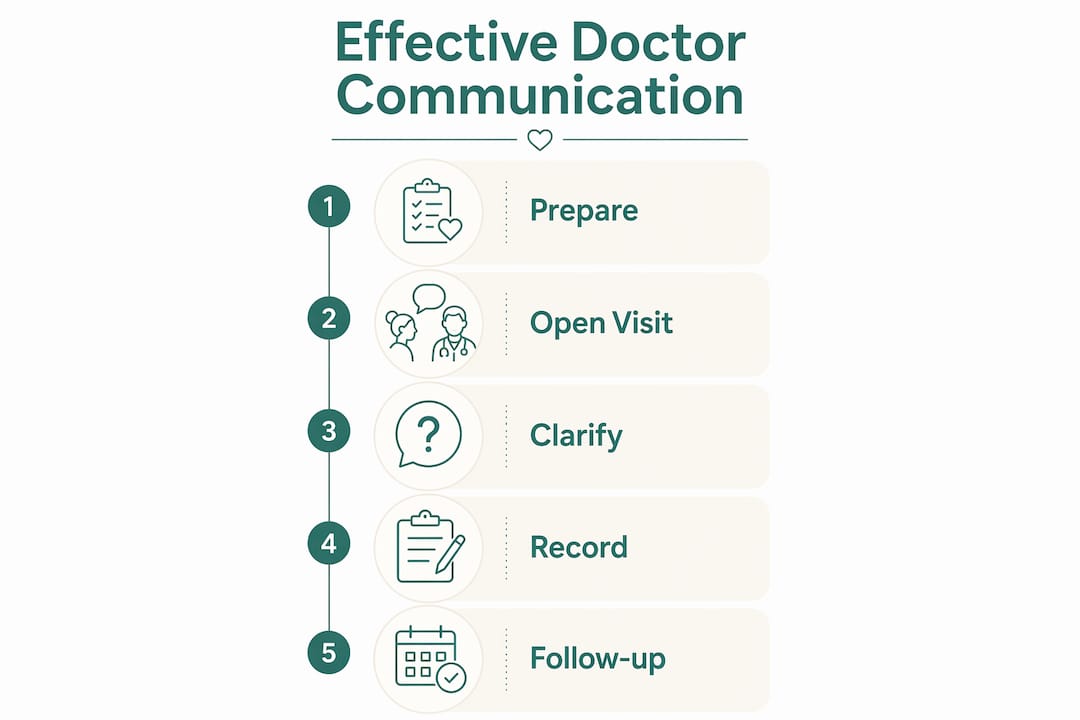
What to say during the appointment — scripts that actually work
Open every visit with a one-sentence agenda: "I have three things I want to cover today — her pain levels, the new medication, and the follow-up schedule. Can we start there?" That framing tells the clinician what you need and signals you are organized.

Johns Hopkins Medicine advises asking clinicians to translate jargon and using teach-back to confirm understanding. These are not rude requests. They are standard good practice.
Scripts you can use verbatim:
- "Can you explain that in plain language? I want to make sure I get it right."
- "So you want me to give her 10 mg twice a day starting tomorrow — is that right?"
- "I know you're busy. Can I have two more minutes to cover one more concern?"
- "Who on your team handles medication questions between visits?"
When a clinician uses a term you don't recognize, stop them immediately. Letting jargon slide is how plans get misunderstood at home.
Emotional conversations are worth having. Research shows that adding empathy to a visit increases consultation time by a negligible amount. If you are scared or exhausted, say so briefly: "I want to be honest — this has been a hard week. Can we talk about what's most urgent?" Then redirect to the clinical facts. That one sentence often changes the tone of the entire visit.
Pro Tip: If you feel dismissed, stay factual: "I want to make sure I understand the plan clearly before I leave. Can you walk me through it one more time?"
How to collect, organize, and share records between visits
Clinicians document with shorthand and abbreviations that families rarely understand. A caregiver-written timeline, exported as a PDF or shared link, gives everyone the same language and the same order of events.
Workflow for sharing records:
- Designate one caregiver as the primary sender for clinical messages to avoid duplicate or conflicting communications
- Keep a single shared timeline that all contributing caregivers update after each visit
- Send the updated PDF or secure link to the clinician's portal 24 hours before the appointment
- Include the date of last update and the name of the caregiver who prepared the document
For families coordinating care across multiple specialists, this is where pediatric caregiver guidance consistently emphasizes a single source of truth. One document, one sender, one version.
Care Chronicle fits directly into this workflow. The app transcribes voice notes into a chronological medical timeline, tracks medications and symptoms, and generates exportable PDFs and secure share links. Multiple caregivers can contribute entries, so the timeline stays current even when different family members attend different appointments.
What to do immediately after the visit
The first 30 minutes after an appointment are when details are clearest. Use them.
- Write down the care plan in plain language: what changed, what stays the same, and why.
- Confirm every medication change: drug name, dose, schedule, and start date.
- Note the follow-up date and which clinician owns it.
- Update the shared timeline or PDF with the visit summary.
- Set a reminder for the next appointment and any interim check-in calls.
If something from the visit is unclear, send a clarifying message through the patient portal within 24 hours. Keep it short: "After today's visit, I want to confirm: you want us to stop the 5 mg dose and start 10 mg on Monday. Is that correct?" That message creates a written record and gives the clinician a chance to catch any miscommunication before it reaches the pharmacy.
After every visit, share a one-sentence summary with all family caregivers: "The doctor changed her blood pressure medication and wants a follow-up in three weeks." That sentence, sent by text or added to the shared timeline, keeps everyone aligned without requiring a full debrief.
How to make telehealth visits as effective as in-person ones
Virtual visits fail when the tech fails or when the clinician can't see what you're describing. Prepare the technology in advance: test audio and video, check your internet connection, and position the camera at eye level so you can read your notes without looking away from the screen.
Telehealth prep checklist:
- Test audio and video at least 10 minutes before the call
- Position the camera so your face and any visible symptom area are in frame
- Have your one-page summary open on screen or printed beside you
- Send photos of wounds, rashes, or swelling through the portal before the call
- State your prep at the start: "I sent a one-page summary and two photos through the portal this morning."
Telehealth works well for medication reviews, follow-up questions, and symptom check-ins. It is not a substitute for a physical exam when a new symptom needs hands-on assessment. If you are unsure, call the clinic before booking and ask which format is appropriate.
What U.S. caregivers need to know about HIPAA and proxy access
HIPAA permits clinicians to share information with a patient's family caregiver when the patient has given permission, but that permission is not automatic. Without a signed authorization or a designated healthcare proxy, a clinician may legally decline to share details with even a close family member.
What to bring to establish proxy access: a signed HIPAA authorization form (available from the clinic), a healthcare proxy designation or medical power of attorney document, and a government-issued photo ID. Some hospital systems also offer patient portal proxy access, which allows a caregiver to view records and send messages directly.
Steps to set up access:
- Ask the clinic's patient services office for their proxy access form
- Bring the signed medical power of attorney or healthcare proxy document to the appointment
- Request portal proxy access so you can send and receive messages on the patient's behalf
- Avoid sending records by standard email; use the patient portal's secure messaging or an encrypted PDF
Cleveland Clinic guidance recommends choosing a proxy early and including advance care planning documents in the shared medical file. Do not wait for a crisis to sort out who has legal authority to speak for the patient.
This article provides general information, not legal or medical advice. Confirm proxy and HIPAA requirements with your specific clinic or a qualified healthcare attorney.
When to ask for more time, a second opinion, or another team member
Some visits end without a clear answer. That is a signal to push, not to wait.
Red flags that warrant escalation:
- A safety concern raised during the visit was not addressed before you left
- Symptoms have persisted for weeks without a working explanation
- Instructions from two different specialists contradict each other
- You left the appointment without understanding the next step
Scripts for escalating without conflict:
- "I'd like to schedule a longer appointment to go through everything in detail. How do I request that?"
- "Can a nurse or pharmacist walk me through the medication changes before we leave?"
- "I'd like to get a second opinion. Can you recommend someone, or send the records to a specialist I choose?"
Document the reason for escalation in your shared timeline: date, what was unresolved, and what you requested. Ask the Merck Manual's recommended approach and confirm which team member handles urgent versus routine questions. That distinction alone prevents a lot of delays. When seeking a second opinion, tell both clinicians you are doing so. Transparency keeps the care record consistent and prevents duplicate or conflicting treatments.
Key Takeaways
Prepared caregivers who bring a written summary, use teach-back, and update a shared timeline after every visit give clinicians the context they need to make better decisions faster.
| Point | Details |
|---|---|
| Prepare a one-page summary | Bring allergies, medications with dosages, symptom timeline, and top 3 questions to every visit. |
| Use teach-back at every visit | Ask the clinician to confirm the plan; repeat it back yourself before leaving. |
| Send records in advance | Email or portal-message a PDF summary 24 hours before the appointment so the clinician can prepare. |
| Document immediately after | Record medication changes, follow-up dates, and the care plan within 30 minutes of leaving. |
| Care Chronicle organizes the workflow | Voice-to-timeline transcription, exportable PDFs, and secure share links keep every caregiver on the same page. |
What caregivers often get wrong about doctor visits
The conventional wisdom says the problem is that caregivers don't ask enough questions. That's only half right. The deeper issue is that caregivers often ask questions at the wrong moment, without the written backup that makes the answer stick.
A clinician who hears a verbal question at the end of a rushed visit will give a verbal answer. That answer is gone by the time you reach the parking lot. The same question, written at the top of a one-page summary handed over at the start of the visit, gets a documented response that becomes part of the record.
The other thing most guides miss: coordinating among multiple caregivers is harder than talking to the doctor. When three family members attend different appointments and each takes their own notes, the result is three conflicting versions of the plan. A single shared timeline, updated by one designated sender after each visit, solves this more reliably than any communication script. The scripts matter. The record matters more.
Care Chronicle puts this workflow in one place
Every step in this guide, from preparing the pre-visit summary to updating the shared timeline after the appointment, requires organized, searchable records. That is exactly what Care Chronicle is built for.
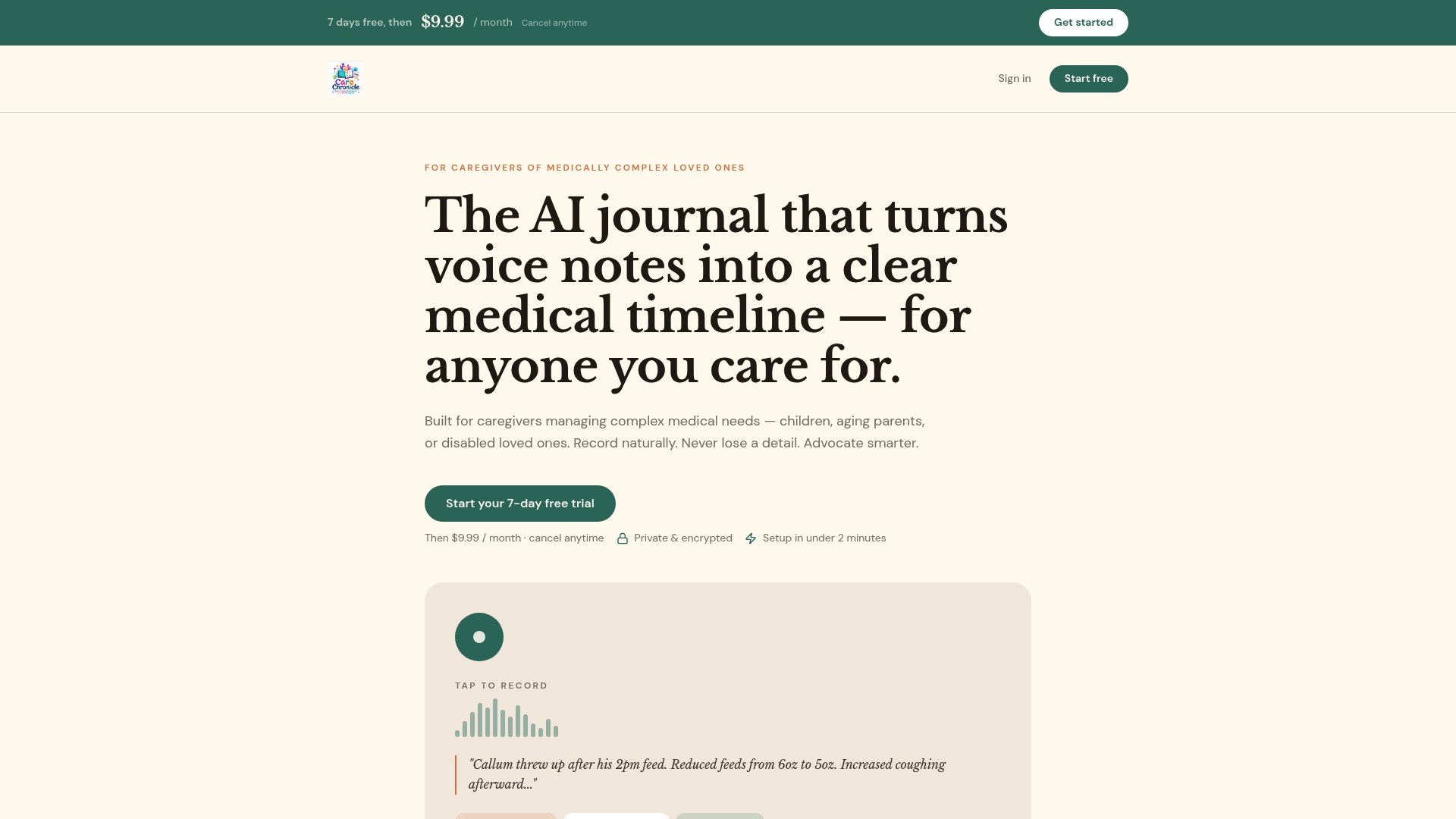
Speak a voice note after any appointment and Care Chronicle transcribes it into a chronological medical timeline. Track medications, dosages, and symptom patterns in one place. Export a clean PDF before the next visit or share a secure link directly with a specialist. Multiple family caregivers can contribute entries, so the timeline stays accurate even when different people attend different appointments. For families coordinating home care conversations alongside clinical visits, having one shared record removes the guesswork entirely.
Start a 7-day free trial at mycarechronicle.com and bring a complete, shareable summary to your next appointment.
Useful sources for caregivers
| Source | Best used for |
|---|---|
| MedlinePlus — Talking with Your Doctor | Checklist of what to bring and what to share at every visit |
| NIH — Talking with Your Health Care Provider | Plain-language communication tips and portal access guidance |
| NCBI — Communicating with Patients | Evidence base for teach-back, empathy, and therapeutic communication |
| Johns Hopkins Medicine — Tips for Talking to Your Doctor | Plain-language and repeat-back techniques |
| ACOG — Effective Patient-Physician Communication | Presence 5 framework and relationship-centered communication |
| UCSF Health — Communicating with Your Doctor | Advance preparation and PDF export guidance |
| Cleveland Clinic — How to Talk to Your Doctor | Proxy planning and advance care directives |
| Merck Manual — Making the Most of a Health Care Visit | Communication protocols and care fragmentation strategies |
Which source to consult first:
- For proxy forms and HIPAA authorization: contact your clinic's patient services office directly, or visit HHS.gov for federal guidance.
- For teach-back techniques: NCBI and Johns Hopkins Medicine both offer clear, evidence-based explanations.
- For advance directives and proxy designation: Cleveland Clinic's guide is the most practical starting point.