
For family caregivers managing complex medical needs, Care Chronicle is the best symptom tracker app available today. It converts voice notes into a searchable, chronological medical timeline, lets multiple caregivers contribute to the same record, and produces clinician-ready PDF exports you can hand directly to a specialist.
Three reasons it stands out for caregivers:
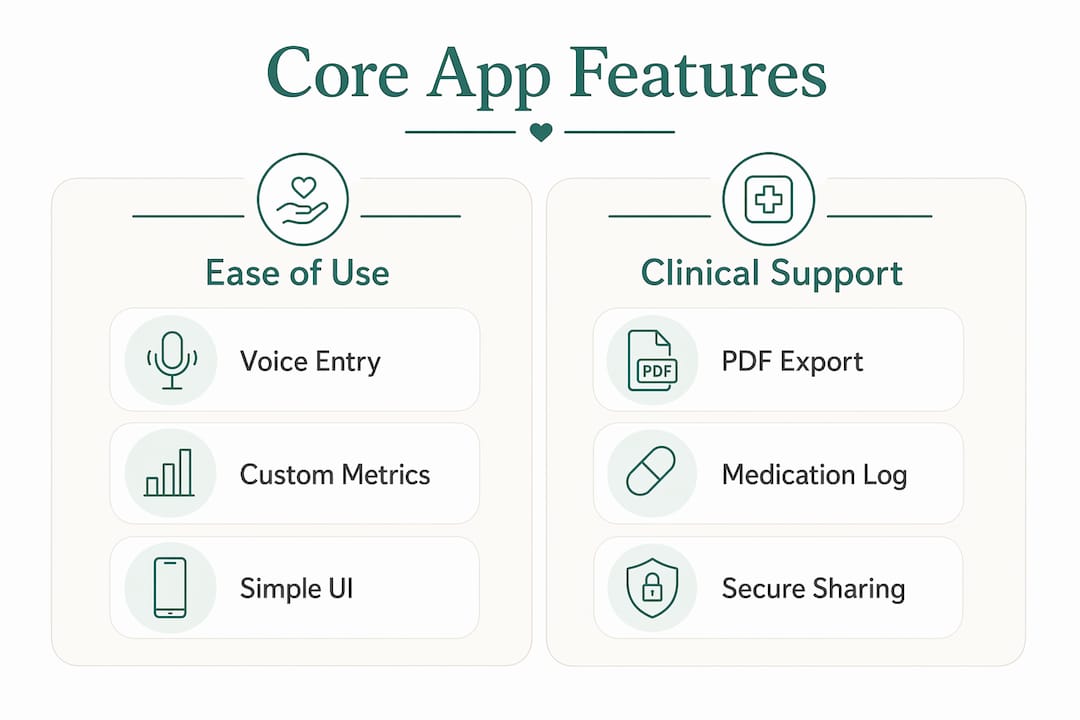
- Voice-first journaling means you can log a symptom, medication change, or behavioral shift in seconds, even during a chaotic day.
- Clinician-ready exports (PDF and timeline formats) give doctors a structured view of weeks or months of observations in one document.
- Multi-contributor sharing lets a spouse, sibling, or home aide add entries to the same record, so nothing falls through the cracks between handoffs.
The sections below cover what to look for when choosing an app, why each core feature matters, how voice AI reduces the daily burden, and how to get started with a 7-day free trial.
Table of Contents
- What should you look for in a symptom tracker app?
- Why do core features matter so much for complex caregiving?
- How does voice-first AI journaling reduce the daily burden?
- Care Chronicle: what it does and what it costs
- How do you set up a tracking workflow in under 30 minutes?
- What should you check about privacy and HIPAA?
- When should you use a tracker app versus official medical records?
- Key Takeaways
- What caregivers actually need from these tools
- Try Care Chronicle free for 7 days
- Useful sources for caregivers
What should you look for in a symptom tracker app?
The right symptom diary app for a caregiver is not the same as one built for a patient tracking their own migraines. You need a tool that handles multiple contributors, exports data in a format clinicians can actually use, and does not require 10 minutes of typing after an already exhausting day.
Core selection criteria:
- Shareable exports: Can you generate a PDF or timeline and send it to a specialist before an appointment? This is non-negotiable for complex cases.
- Custom metrics: Generic apps track mood and sleep. Caregivers often need to track seizure frequency, feeding tolerance, behavioral triggers, or post-surgical vitals. Custom metric tracking for rare or nuanced conditions is a feature that separates serious tools from basic ones.
- Voice or low-effort entry: If logging takes more than 60 seconds, consistency drops fast. Look for voice input or one-tap templates.
- Multi-contributor support: At least two caregivers should be able to add entries without overwriting each other's data.
- Platform availability: iOS, Android, and web access matter when different family members use different devices.
- Onboarding and templates: A good app gets you logging useful data within 30 minutes, not after a week of setup.
For usability, test the app during a real caregiving moment, not a quiet afternoon. If it slows you down, it will not survive contact with a hard day.
Pro Tip: When evaluating apps, run a single export before committing. If the PDF looks like a raw data dump rather than a readable clinical summary, that app will not help you at a specialist visit.
Why do core features matter so much for complex caregiving?
"Effective symptom trackers for complex medical needs prioritize three core capabilities: secure, shareable medical histories; consolidation of multiple health metrics in one place; and exportable, clinician-ready reports." — CareClinic research finding
A shareable medical timeline does something a stack of paper notes cannot: it shows a clinician the sequence of events. When a child's symptoms escalated over three weeks before a hospitalization, the timeline tells that story. A PDF export from a well-structured app can replace 20 minutes of verbal catch-up at the start of an appointment.
Consolidated tracking matters for a different reason. Caregivers who log medications, mood, vitals, and symptoms in separate places rarely connect the dots. When everything lives in one record, correlations between habits and symptom severity become visible. A medication change on Tuesday shows up next to a sleep disruption on Wednesday and a behavioral spike on Thursday.

Custom metrics are where most general-purpose apps fail caregivers of children with rare conditions or adults with complex neurological needs. Tracking "agitation level on a 1–5 scale" or "number of self-injurious behaviors per hour" requires fields you define yourself. AI-powered journaling tools improve pattern recognition precisely because they can surface trends across custom fields over time.
Pro Tip: Structure your notes for clinical use from day one. Instead of "bad day," write "three seizures between 7 AM and noon, each lasting under 30 seconds." That specificity is what a neurologist needs.
How does voice-first AI journaling reduce the daily burden?
Caregivers are time- and attention-constrained in ways that most app designers do not account for. Voice logging increases long-term adherence by cutting the cognitive load of data entry to near zero. You speak; the app transcribes and organizes.
The practical benefit chain looks like this:
- Voice logging → speed: A 15-second voice note captures more detail than a 3-minute typing session under stress.
- AI transcription → searchable timeline: Spoken entries become structured, searchable records rather than buried audio files.
- AI summaries → clinician-ready notes: The app surfaces patterns and generates summaries you can share without manual editing.
Picture a caregiver managing a child with a complex seizure disorder. Before a neurology appointment, she speaks a 20-second note after each event for six weeks. The app organizes those entries into a timeline, flags a cluster of events on days following disrupted sleep, and generates a PDF. She walks into the appointment with data. The neurologist adjusts the medication plan based on that pattern. That is the difference between a symptom monitor application that earns its place and one that gets deleted after two weeks.
Voice entry also matters for caregivers who are not comfortable with long-form typing, or who are logging during a moment of high stress. The AI-powered symptom checker approach, where the tool interprets and organizes what you say rather than requiring structured input, is what makes sustained tracking realistic for most families.
Care Chronicle: what it does and what it costs
Care Chronicle is built specifically for caregivers, not patients managing their own conditions. That distinction shapes every feature.
What you get:
- Voice-to-timeline transcription that organizes entries chronologically without manual sorting
- Medication and symptom tracking with custom fields for any metric you define
- Multi-user care teams so a spouse, sibling, or aide can all contribute to the same record
- PDF and timeline exports formatted for clinical handoffs
- Search and filter tools to find entries by date, symptom, or keyword
- iOS, Android, and web access
Pricing and trial: Care Chronicle runs on a monthly subscription with a 7-day free trial. No credit card is required to start the trial. If you cancel before day 7, you are not charged.
What a clinician-ready export contains: The PDF includes a chronological event log, a medication history with dosage changes noted, a symptom frequency summary, and any custom metrics you have been tracking. A neurologist, pediatrician, or specialist can read it in under two minutes.
Security basics: Data is encrypted in transit and at rest. Sharing is controlled by the account holder, and you can revoke access to a shared timeline at any time.
Pro Tip: During your trial, generate a PDF export on day 3. If it does not look like something you would hand a specialist, adjust your logging habits before day 7.
How do you set up a tracking workflow in under 30 minutes?
- Create your account and invite your care team. Add at least one other caregiver during setup so multi-contributor logging is active from day one.
- Define your three core custom metrics. Start with the ones your clinician asks about most: seizure frequency, pain level, behavioral incidents, or whatever applies. Do not build 15 metrics on day one.
- Enable voice logging and set a daily reminder. Pick a consistent time, usually after a medication dose or a meal, and let the reminder build the habit.
- Run the 7-day starter template. Log a medication entry, a symptom note, and a mood or behavioral check-in each day. Consistency over the first week is what makes the data useful.
- Export a sample PDF before your next appointment. Review it yourself first. If it tells the story of the past week clearly, it is ready for a clinician.
Templates worth copying immediately: a medication log with dose and time fields, a daily mood and pain check-in on a 1–5 scale, and a hospital-discharge timeline that captures every instruction and follow-up task.
What should you check about privacy and HIPAA?
HIPAA applies to covered entities (hospitals, insurers, clinicians) and their business associates. A consumer app is not automatically a covered entity, but a vendor that handles protected health information on behalf of a covered entity may be. For caregivers, the practical question is simpler: does this app encrypt your data, control who can see it, and give you the ability to delete it?
Questions to ask any vendor:
- Is data encrypted in transit and at rest?
- Who has access to my data besides me?
- Can I revoke access to a shared timeline?
- What is the data retention policy if I cancel?
- Does the vendor sign a Business Associate Agreement if required?
Security habits for caregivers:
- Use a strong, unique password and enable multi-factor authentication if available.
- Share only the minimum necessary data with clinicians: a specific date range, not your entire history.
- Review sharing permissions every few months, especially after a care team change.
When should you use a tracker app versus official medical records?
A symptom tracker app and an EHR serve different purposes. Confusing them leads to gaps in both.
Use your tracker app for:
- Daily symptom and behavior logging between appointments
- Medication adherence and dose-change tracking
- Family coordination and handoff notes
- Pattern recognition across weeks or months
- Generating a summary to bring to a clinic visit
Rely on official medical records for:
- Diagnostic lab results and imaging reports
- Medication orders and prescription history
- Surgical and procedure notes
- Insurance and billing documentation
Practical rule: Export your app timeline before every specialist appointment and request official records from the provider after every significant visit. The two sources complement each other. Guided templates combined with AI-summarized timelines make clinical conversations more productive precisely because they fill the gap between official records, which capture what happened in the clinic, and daily observations, which capture what is happening at home.
Key Takeaways
For family caregivers, the best symptom tracker app combines voice-first entry, custom metrics, and clinician-ready PDF exports in a single shareable record.
| Point | Details |
|---|---|
| Voice entry drives consistency | Low-effort logging reduces cognitive load and keeps caregivers tracking long-term. |
| Custom metrics matter most | Generic apps miss condition-specific needs; define your own fields from day one. |
| Export quality is the real test | Run a PDF export during the trial to confirm it is readable for a specialist. |
| Privacy check before sharing | Verify encryption, access controls, and data deletion policy before sharing timelines. |
| Care Chronicle recommendation | Start the 7-day free trial, invite a second caregiver, and export a sample PDF before your next appointment. |
What caregivers actually need from these tools
The conventional wisdom says pick the app with the most features. That is usually wrong for caregivers. More features mean more setup, more decisions, and more friction on the days when you have nothing left. The apps that survive in real caregiving households are the ones that get out of the way.
Voice logging is not a convenience feature. For a caregiver managing a child with a rare condition, or an aging parent with dementia, it is the difference between a record that exists and one that does not. The data you actually capture, even imperfectly, is worth more than the perfect system you abandon after two weeks.
The other thing most guides underestimate is the export. Caregivers spend enormous energy preparing for specialist appointments, and a well-structured PDF can change the quality of that conversation. A clinician who can see six weeks of data in two minutes will ask better questions. That is the outcome worth optimizing for.
Try Care Chronicle free for 7 days
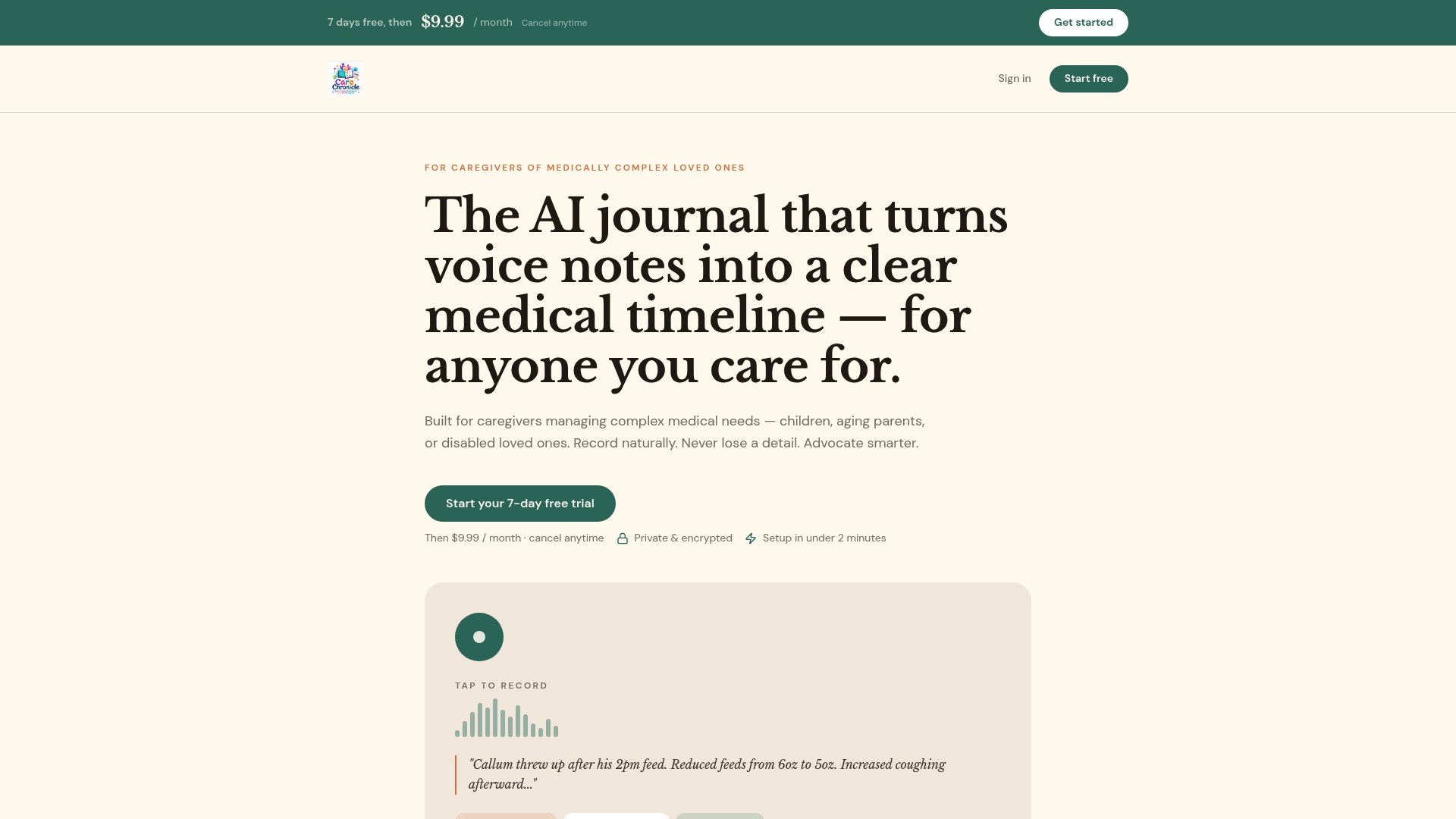
Care Chronicle gives caregivers something most health apps do not: a voice-first record built for the people managing someone else's care, not their own. You speak your observations, the app builds the timeline, and you walk into your next appointment with a clinician-ready PDF instead of a stack of handwritten notes.
During your 7-day free trial, test three things: record a voice note and confirm it appears correctly in the timeline, invite a second caregiver to contribute, and generate a PDF export to review before sharing with a clinician. If any of those three steps feels clunky, you will know before you are charged.
Support is available during the trial, and canceling before day 7 means no charge. Start your free trial and have a shareable medical timeline ready before your next appointment.
Useful sources for caregivers
- Care Chronicle — Voice-first caregiver journal: product landing page with trial sign-up, feature details, and onboarding guides for medication tracking, hospital discharge, and symptom pattern recognition.
- Peace Health AI — AI-Powered Symptom Checker: partner resource on AI-assisted symptom interpretation and reducing cognitive load in health tracking.
- Bearable Symptom Tracker: reviewed by clinicians at Cedars-Sinai; useful reference for understanding what clinical review of mobile health apps looks like and what features reviewers prioritize.
- Bezzy IBD — Best Apps for Tracking IBD and Other Health Symptoms: practical first-person review of symptom-tracking apps across usability, flexibility, and multi-condition tracking.
- U.S. Department of Health and Human Services (hhs.gov): primary source for HIPAA guidance, Business Associate Agreement requirements, and consumer health data privacy rules.
When consulting any of these sources, bring the vendor questions checklist from the privacy section above. Encryption claims, access controls, and data retention policies should be verified directly with the vendor, not assumed from marketing copy.