Care Chronicle is the best caregiver app for family caregivers managing complex medical needs. It converts voice notes into a searchable, chronological medical timeline, tracks medications and symptoms, and lets multiple caregivers contribute, all in one place. If you're coordinating care for a child with a chronic condition, an aging parent with dementia, or a loved one navigating a complicated treatment plan, this is where to start.
The ideal user is a primary family caregiver who juggles multiple providers, frequent medication changes, and the constant pressure of keeping everyone informed. You don't need to be especially tech-savvy. If you can leave a voice message, you can build a medical timeline in Care Chronicle.
Table of Contents
- What are the best caregiver apps for your daily problem?
- What do caregiver apps actually do, and which features matter?
- How should you set up apps for complex caregiving?
- What should you check for security and privacy before entering health data?
- What does a caregiver app subscription actually cost?
- How do you get family members and clinicians on board fast?
- Why is Care Chronicle the right pick for this audience?
- Key Takeaways
- What the team has learned from caregivers like you
- Care Chronicle is worth trying for seven days
- Useful sources and further reading (U.S.)
What are the best caregiver apps for your daily problem?
Before downloading anything, name your single biggest daily problem. That one answer should drive every app decision you make.
Practitioners recommend treating caregiver apps as workflow utilities, not marketing categories. The goal is a command center that cuts logistics time so you can be more present. Start there.

Quick decision map:
| Your biggest daily problem | Must-have feature to test |
|---|---|
| Fragmented communication across family | Shared timeline, document sharing, multi-user notes |
| Medication errors or missed doses | Dose logging, interaction checks, missed-dose alerts |
| Long-distance check-ins | Remote monitoring, video, concise daily summaries |
| Disorganized medical records | Document storage, exportable PDFs, searchable history |
| Scheduling conflicts | Recurring tasks, responsibility assignment, reminders |
Before you pilot any app, ask three quick questions:
- Who else needs access — secondary caregivers, a clinician, a sibling in another state?
- Does the person receiving care use a smartphone, or does everything flow through you?
- What does a "win" look like after two weeks — fewer missed meds, fewer duplicate messages, fewer scheduling conflicts?
Two-week pilot metrics to track:
- Missed medication doses per week (before vs. after)
- Number of duplicate update messages sent to family
- Scheduling conflicts or missed appointments
If the numbers don't improve, the app isn't the right fit. Switch before you're three months in and emotionally committed to a tool that isn't working.
What do caregiver apps actually do, and which features matter?
Most caregiver apps cluster around five feature areas. You rarely need all five from one tool.
Shared timeline and notes. A chronological log of symptoms, provider instructions, sleep, and appetite. Shared symptom logs are underrated: they reduce repetitive conversations and make clinical handoffs sharper. When your loved one's neurologist asks what changed last month, you have an answer in seconds.
Medication management. A reliable medication tool records the medication name, specific timing, dosage instructions, and confirmation that a dose was taken. Refill alerts and interaction warnings are the extras worth paying for. Test the notification flow specifically: a reminder buried in a notification tray at 7 AM is useless if it takes four taps to confirm.
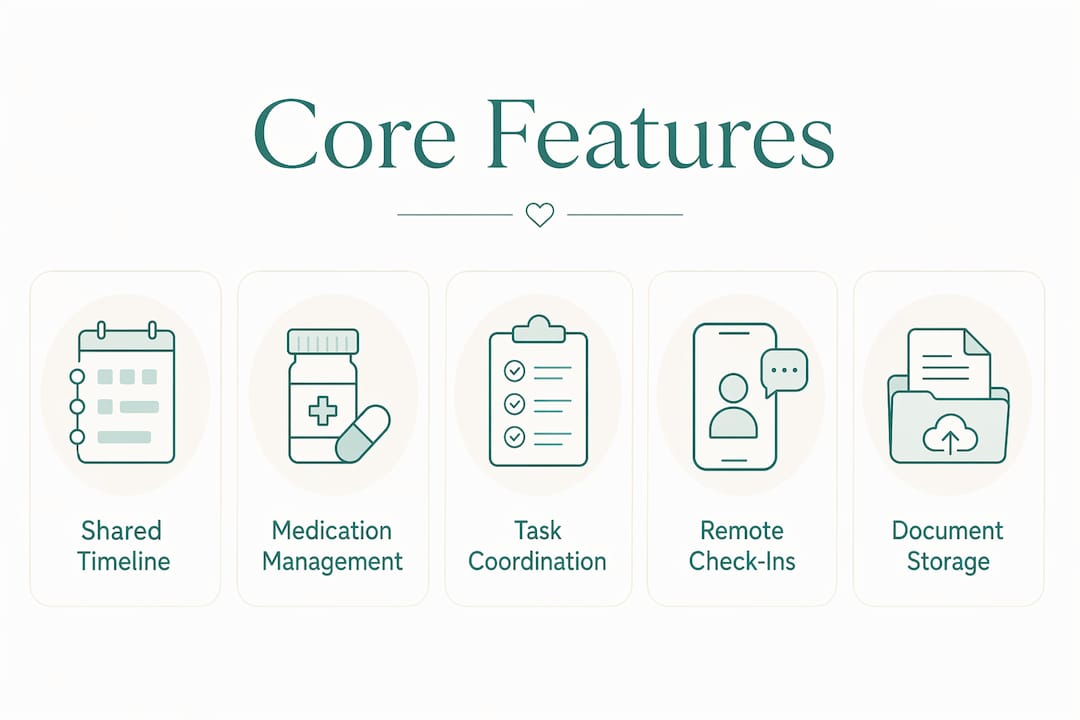
Scheduling and task coordination. Effective scheduling tools support recurring tasks, multiple users, and clear responsibility assignment. "Someone needs to take Dad to PT on Thursday" is not a plan. An assigned, recurring task with a named owner is.
Remote check-ins. For long-distance caregivers, remote wellness monitoring and concise shareable status updates reduce the reporting burden on whoever is physically present. Video check-ins add a layer of reassurance that a text update can't replicate.
Document storage and export. Discharge summaries, insurance cards, advance directives. The test: can you pull a clinician-ready PDF in under two minutes during an ER visit?
Pro Tip: Don't expect one app to do all five well. Pick a primary hub for records and timelines, then add a specialist medication app if adherence is your highest-risk task. That split usually produces better daily reliability than any single all-in-one tool.
How should you set up apps for complex caregiving?
A modular toolkit — one primary hub plus one specialist app when stakes are high — outperforms single-app solutions in daily reliability. Here's how that looks in practice.
Primary hub role (Care Chronicle):
- Chronological medical timeline built from voice notes
- Medication and symptom tracking with multi-contributor support
- Exportable, clinician-friendly summaries and PDFs
- Secure sharing links for family members and providers
Specialist app roles (added when needed):
- Dedicated medication adherence app when a loved one manages ten or more daily medications
- Remote vitals monitoring device paired with an app when post-hospital recovery requires daily readings
A realistic workflow example: The primary caregiver records a voice note after each doctor's visit. Care Chronicle transcribes and timestamps it. A sibling in another state reviews the timeline that evening without a phone call. The neurologist receives a PDF summary before the next appointment. A separate medication app sends dose reminders directly to the loved one's phone and logs confirmations. Nobody sends a group text asking "did he take his blood pressure pill?"
Apps complement assistive devices and monitoring systems — they don't replace them. A fall detection sensor, a pill organizer with alerts, a hospital bed rail: these work alongside your app stack, not instead of it.
What should you check for security and privacy before entering health data?
Most consumer-facing caregiver apps are not covered entities under HIPAA. That means the law doesn't automatically require them to protect your health information the way a hospital or insurer must. You're trusting the app's own privacy policy, so read it.
Privacy checklist before entering any sensitive data:
- Account access controls: can you set individual permissions for each user?
- Encryption: does the app state that data is encrypted in transit and at rest?
- Exportable records: can you download your full history as a PDF or CSV at any time?
- Secure sharing: are shared links time-limited or revocable?
- Data deletion: can you permanently delete your account and all associated data?
For emergency situations, pairing your care records with a resource on medical emergency communication helps first responders access critical information quickly. Check whether your app allows an emergency contact or medical ID export that works offline.
This article is general information, not legal or medical advice. Verify current HIPAA applicability and privacy practices directly with any app provider before entering protected health information.
What does a caregiver app subscription actually cost?
Pricing shapes vary widely. Most apps offer a free tier with limited features, a monthly subscription for full access, and sometimes per-seat pricing for additional family members or clinician viewers.
| Pricing element | What to ask during a free trial |
|---|---|
| Trial length | How many days, and is a credit card required upfront? |
| Seat limits | How many family members can contribute without extra cost? |
| Clinician access | Can a provider view the timeline without a paid seat? |
| Data export | Can you export everything before canceling? |
| Refund policy | Is there a prorated refund if you cancel mid-month? |
Care Chronicle offers a 7-day free trial before any charge. Use those seven days to complete at least three voice-note entries, invite one secondary caregiver, and export one PDF summary. If those three tasks don't feel natural by day five, the workflow isn't clicking.
Total-cost checklist:
- Monthly subscription fee for the primary account holder
- Additional seats for secondary caregivers
- Any hardware integration fees (remote monitoring devices)
- Cost of a specialist medication app if added to the stack
If the trial doesn't move your pilot metrics, don't subscribe. The switching cost of moving to a different app early is far lower than six months of friction with the wrong tool.
How do you get family members and clinicians on board fast?
Speed matters. The longer onboarding takes, the more likely people revert to group texts.
- Day 1: Invite one secondary caregiver and assign them a role (editor or view-only). Enter the medication list and one recent provider note.
- Day 2: Record your first voice note summarizing the most recent appointment. Confirm it appears correctly in the timeline.
- Days 3–7: Add any key documents (discharge summary, insurance card, advance directive). Share a read-only link with the primary clinician.
- Week 2: Run the pilot metrics. Check missed doses, duplicate messages, and scheduling conflicts against your baseline.
Roles and permissions to set from the start:
- Primary caregiver: full edit access to timeline, medications, and documents
- Secondary caregivers: edit or comment access, depending on involvement level
- Clinicians: view-only access via a secure, revocable link
Pro Tip: The fastest way to populate a new timeline is a photo upload. Take a picture of the current medication list or the hospital discharge summary and add it on day one. Voice notes fill in the narrative; documents anchor the facts.
Why is Care Chronicle the right pick for this audience?
Care Chronicle's design matches the specific workflow of a family caregiver managing medically complex care. Voice-first journaling removes the friction of typing after an exhausting appointment. The chronological timeline means any family member can get current without a phone call. Exportable PDFs give clinicians a summary they can actually use.
Feature alignment with complex caregiving needs:
- Voice notes transcribed into a searchable, timestamped timeline
- Medication and symptom tracking with multi-contributor support
- Secure sharing links and exportable clinician-friendly summaries
- Guides for medication tracking, hospital discharge, and symptom pattern recognition
The 7-day free trial is enough time to test the three tasks that matter most: recording a voice note, inviting a co-caregiver, and exporting a summary. Those three actions cover the core workflow. If they work smoothly, the rest of the app will too.
Key Takeaways
Care Chronicle is the strongest primary hub for family caregivers managing complex medical needs because it combines voice-first journaling, medication tracking, and clinician-ready exports in one place.
| Point | Details |
|---|---|
| Match app to your top problem | Pick the feature that solves your single biggest daily pain before evaluating anything else. |
| Run a two-week pilot | Track missed doses, duplicate messages, and scheduling conflicts before committing to a subscription. |
| Use a modular setup | Pair a primary hub with a specialist medication app when adherence is your highest-risk task. |
| Check privacy before entering data | Confirm encryption, exportable records, and revocable sharing links before adding sensitive health information. |
| Start with Care Chronicle | Use the 7-day free trial to record a voice note, invite a co-caregiver, and export one PDF summary. |
What the team has learned from caregivers like you
The caregivers who get the most out of digital tools are the ones who stop expecting a single app to solve everything. That expectation is where most people get stuck. They download something ambitious, hit one friction point, and abandon the whole idea.
What actually works is simpler: one reliable place for the medical record, one tool for the highest-risk task. That's it. Care Chronicle handles the record. You add a specialist app only if medication adherence or remote monitoring demands it.
If you try the setup and something isn't working, that feedback matters. The goal is a toolkit that fits your actual day, not an idealized caregiving workflow nobody lives in.
Care Chronicle is worth trying for seven days
The hardest part of complex caregiving isn't the care itself. It's the coordination: the repeated phone calls, the scattered notes, the clinician who asks a question you can't answer because the information is in three different places.
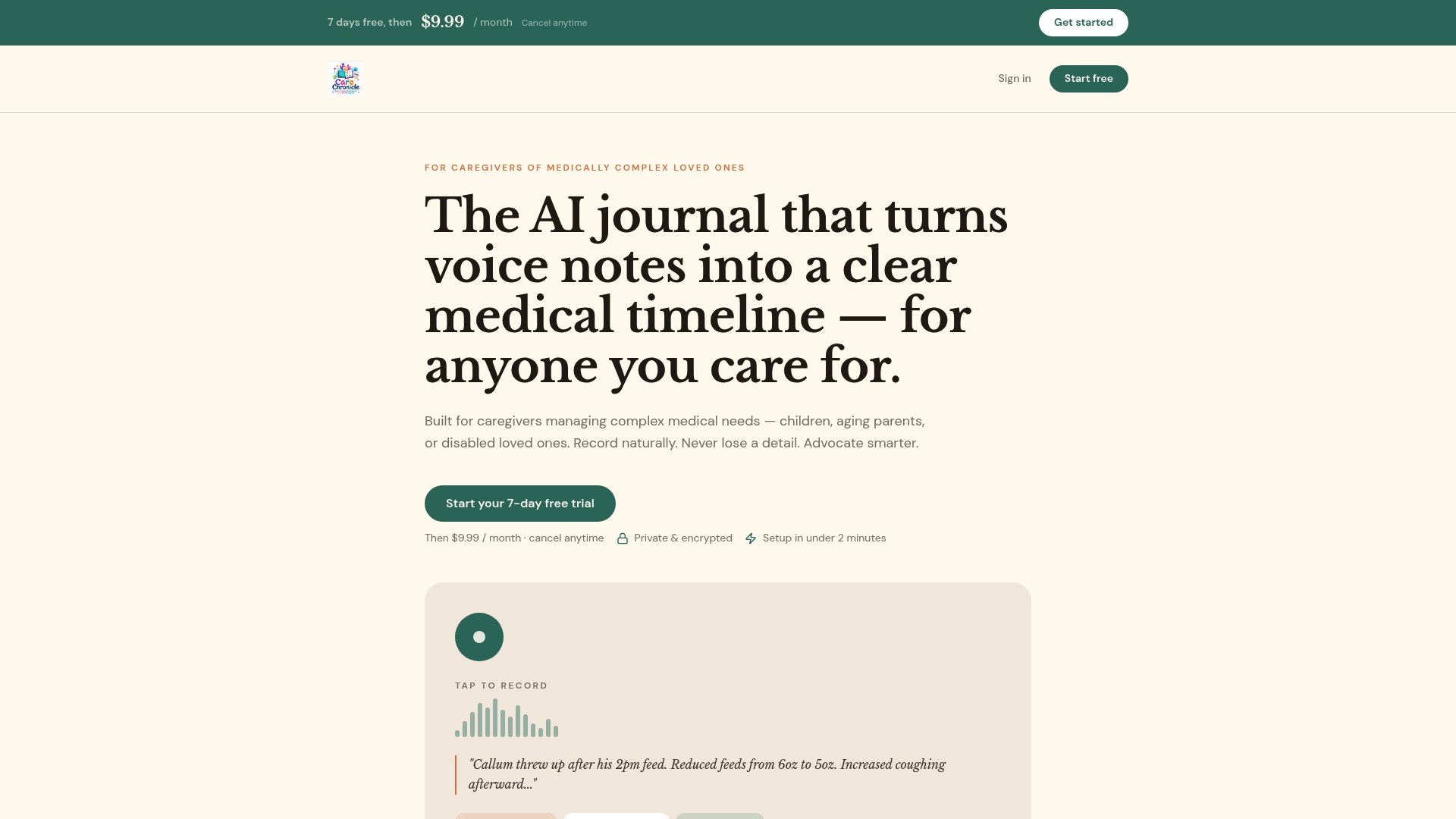
Care Chronicle gives you one place to put all of it. Start with a voice note after the next appointment. Invite one family member. Export one summary before the next provider visit. The 7-day free trial requires no long-term commitment, and you can export your data before canceling if it's not the right fit. For high-stakes medication management, pair it with a dedicated adherence app. For symptom escalation questions, an AI-powered symptom checker can help you decide when something warrants a call to the care team.
Useful sources and further reading (U.S.)
These sources support the guidance in this article on feature selection, privacy, medication safety, and caregiver coordination.
- Feature mapping and app selection: StoryPoint's caregiver app roundup covers workflow-based evaluation criteria for top mobile apps for caregivers.
- Medication safety and management: CareScout's caregiver app recommendations address scheduling, remote monitoring, and medication coordination.
- Caregiver tools and assistive devices: U.S. News Health's guide on caregiver tools and assistive devices explains how apps fit into a broader care toolkit.
- Onboarding and coordination: CaringBridge's essential caregiving tools covers health platforms, task management, and care calendars for family coordination.
- Emergency communication and medical ID: SOS-ID's emergency communication guide explains best practices for sharing medical information in urgent situations.